Since April 10, a single GitHub repository hosted 56 fake files posing as banking apps. They were not banking apps. They were booby-trapped copies of a malware family called NFCShare, and the goal was never your password. It was to make you hand over your card with your own hands.
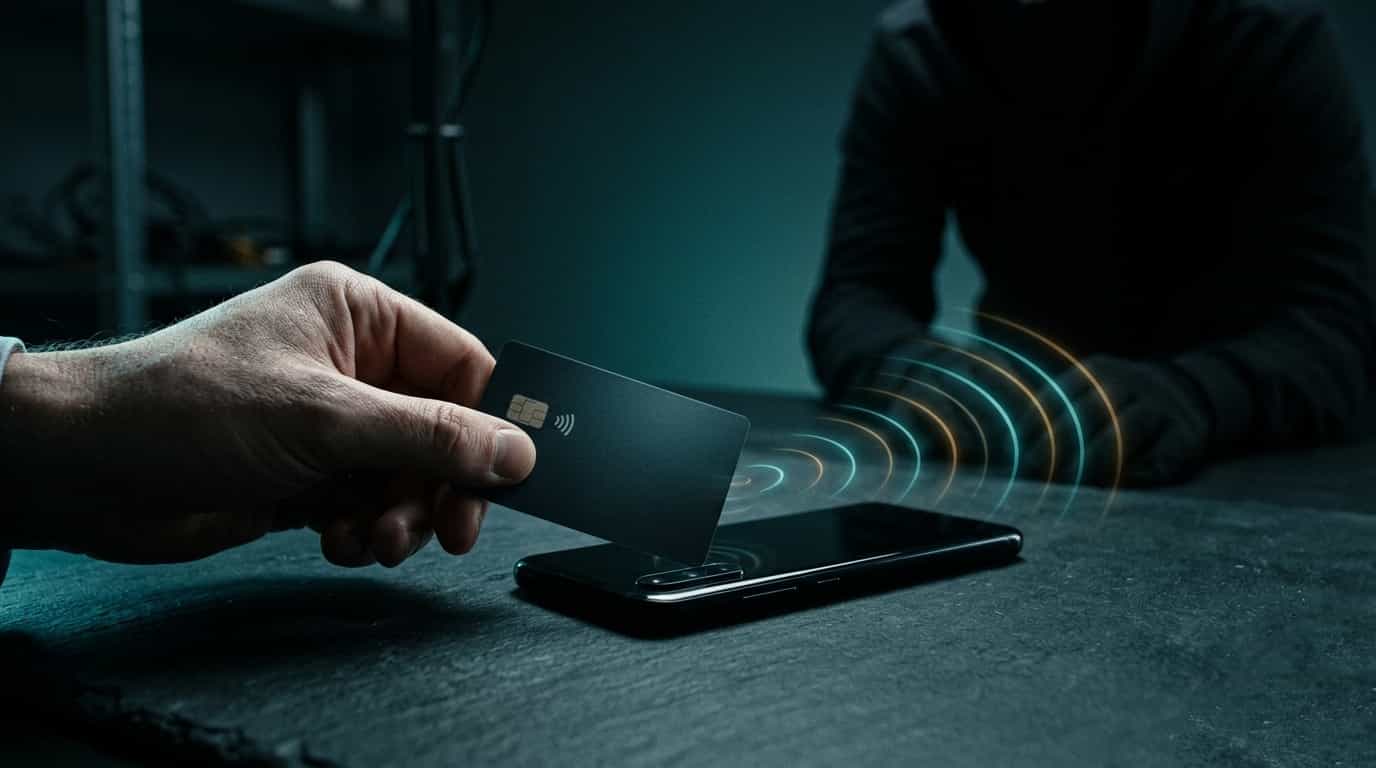
We have learned to picture bank fraud as data theft: someone grabs your credentials and walks into your account. This generation of attacks does the opposite. It does not try to guess the card's secret; it convinces you to bring the card close to the phone and reads the chip directly, as if you were tapping it on a terminal. The victim stops being watched and becomes an unwitting accomplice.
How it works, step by step
The scheme was documented by researchers at D3Lab, who have tracked NFCShare since January 2026. The mechanics are methodical. It starts on a phishing site that mimics the bank and asks for credentials. Then comes the familiar prompt: "update your app." The link does not lead to Google Play; it leads to a GitHub repository with a doctored APK. Once the fake app is installed, a "security verification" screen asks you to hold your card against the back of the phone. At that moment the malware uses Android's IsoDep interface and EMV commands to read the card number, type, expiry date, and the four-digit PIN the victim types believing it to be a security step. All of it travels live, over a WebSocket, to the attacker's servers.
The most recent campaigns, from May 14, hit mostly banks in Italy and Spain, with names such as Intesa, Sella, Nexi, and CaixaBank. In January the target had been Deutsche Bank in Germany. Spain on that list should be enough to strip away any comfort of distance: the border of digital crime is the same one we share on the map.
This is not an Italian or Spanish problem. NFCShare belongs to the same wave as NGate, already flagged by ESET and reported in Portugal, with the same script: fake site, app installed from outside the store, a request to bring the card close. The code changes; the gesture they want from you does not.
Why it works so well
There are two clever decisions in this attack, and both deserve attention. The first is choosing GitHub to distribute the file. It is a platform everyone associates with developers and legitimate software, so a link that lands there looks less suspicious than an email attachment. Trust in the brand becomes part of the weapon. The second is the malformed packaging of the newer APKs, designed to fool automated analysis tools and buy time before detection.
Anyone who works in digital investigation recognizes the problem from the other side. When it is the victim who taps the card, the read looks like a legitimate operation. The difference between an authorized gesture and a tricked one is not in the data, it is in the intent, and intent is not recorded on the chip. That is why these schemes are hard to prove after the fact, and why the best defense is still not reaching that point.
How to protect yourself
The good news is that the attack depends on you doing three things, and refusing one is enough:
- Install banking apps only from Google Play or the App Store. A bank never tells you to "update" its app through an SMS, email, or website link.
- Distrust any screen that asks you to hold your physical card against the phone. No bank needs that to "verify" you.
- Keep Play Protect on and review which apps have access to NFC and accessibility services without reason.
- If you have already installed one of these apps, uninstall it, turn off NFC, and call your bank before any movement on the account.
The engineering behind these scams improves with every version, but the entry point is almost always the same: a request to do something your bank would never ask of you. When doubt shows up, it is already the answer.
Source: Bleeping Computer.
#StaySafe
🙏🖖